
APDS Course Access
How to Access APDS Courses with a New User Login
Overview
Registration for the APDS Essentials course is handled through the International Parking & Mobility Institute (IPMI) website. When you click on the link below, you will be taken to the IPMI website and asked to create a free IPMI user account, even if your company is not an IPMI member. Follow the steps below so you know what to expect.
Step 1: Start with Your Email Address
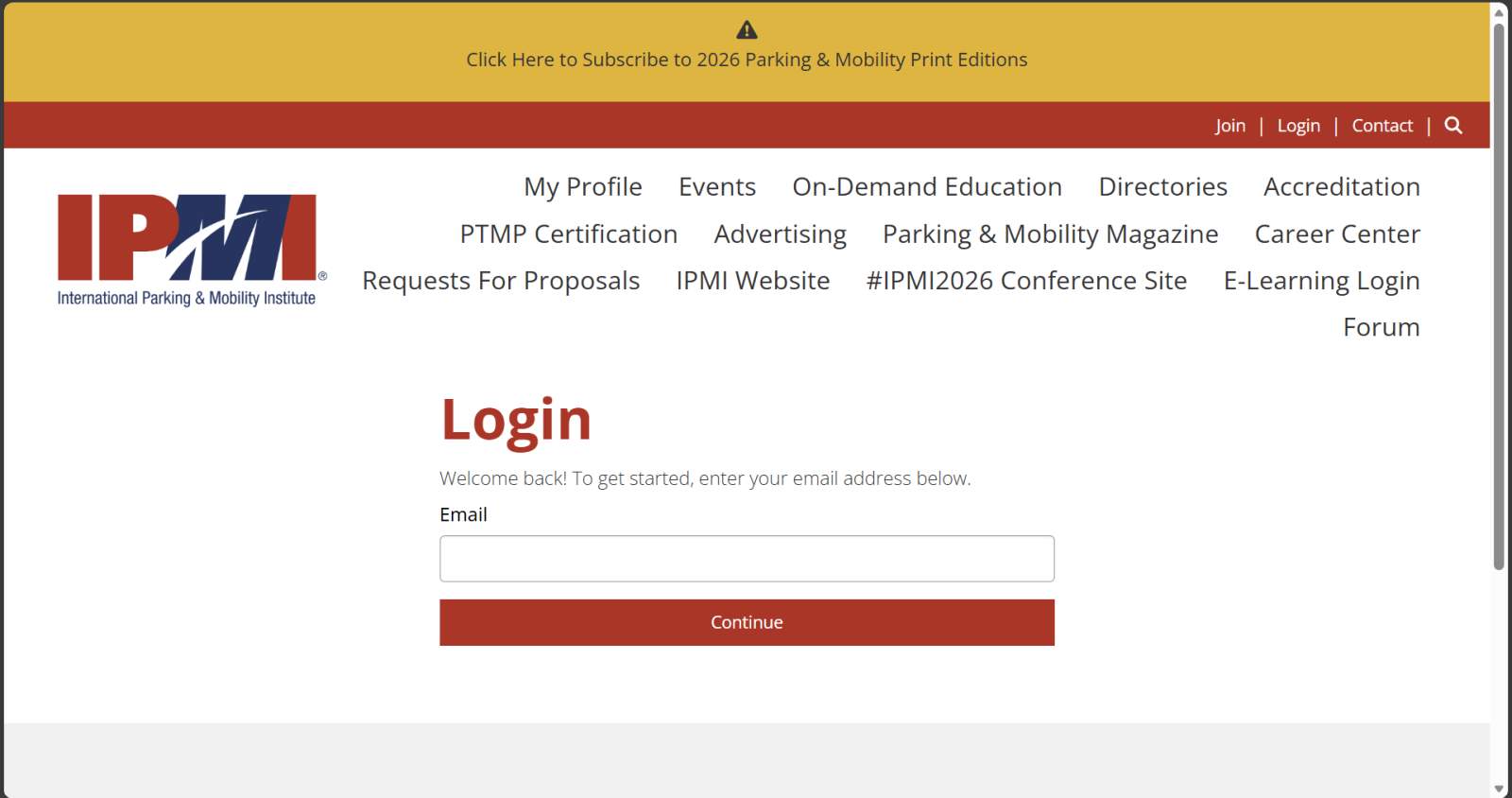
1. On the IPMI Login page, you will see a box labeled Email.
2. Type the email address you want to use for the training.
3. Click Continue.
Step 2: If You Already Have an IPMI Account
• If your email is recognized, you will be prompted for your password.
• Log in (or use “Forgot your password?” if needed) and proceed to the APDS Essentials registration page.
If your email is not recognized, continue with Step 3.
Step 3: If Your Email Is Not Recognized
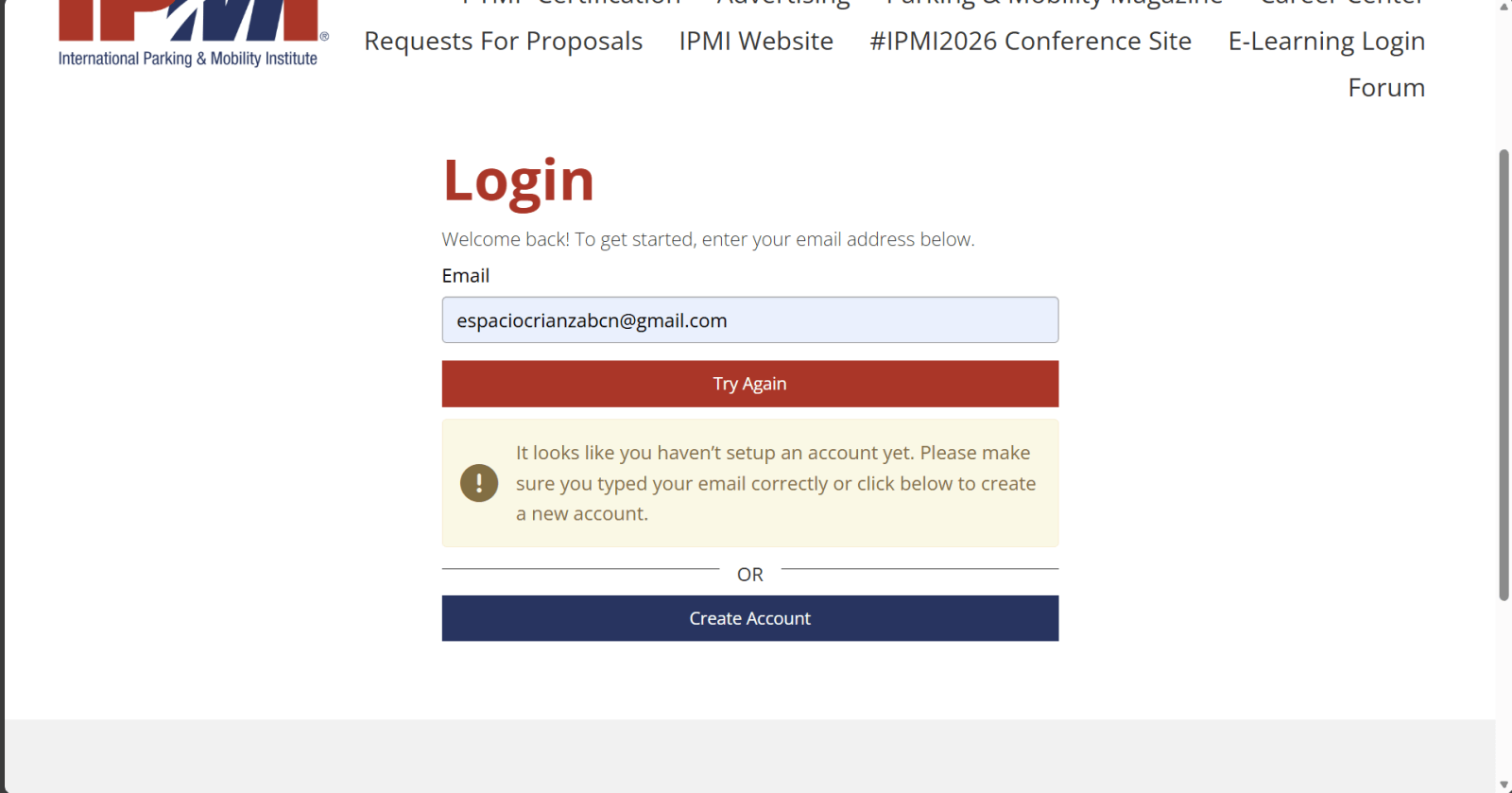
If your email is not found, you will see a message similar to:
“It looks like you haven’t setup an account yet…”
1. Click the Create Account button.
Step 5: “Membership & Account Access” Screen
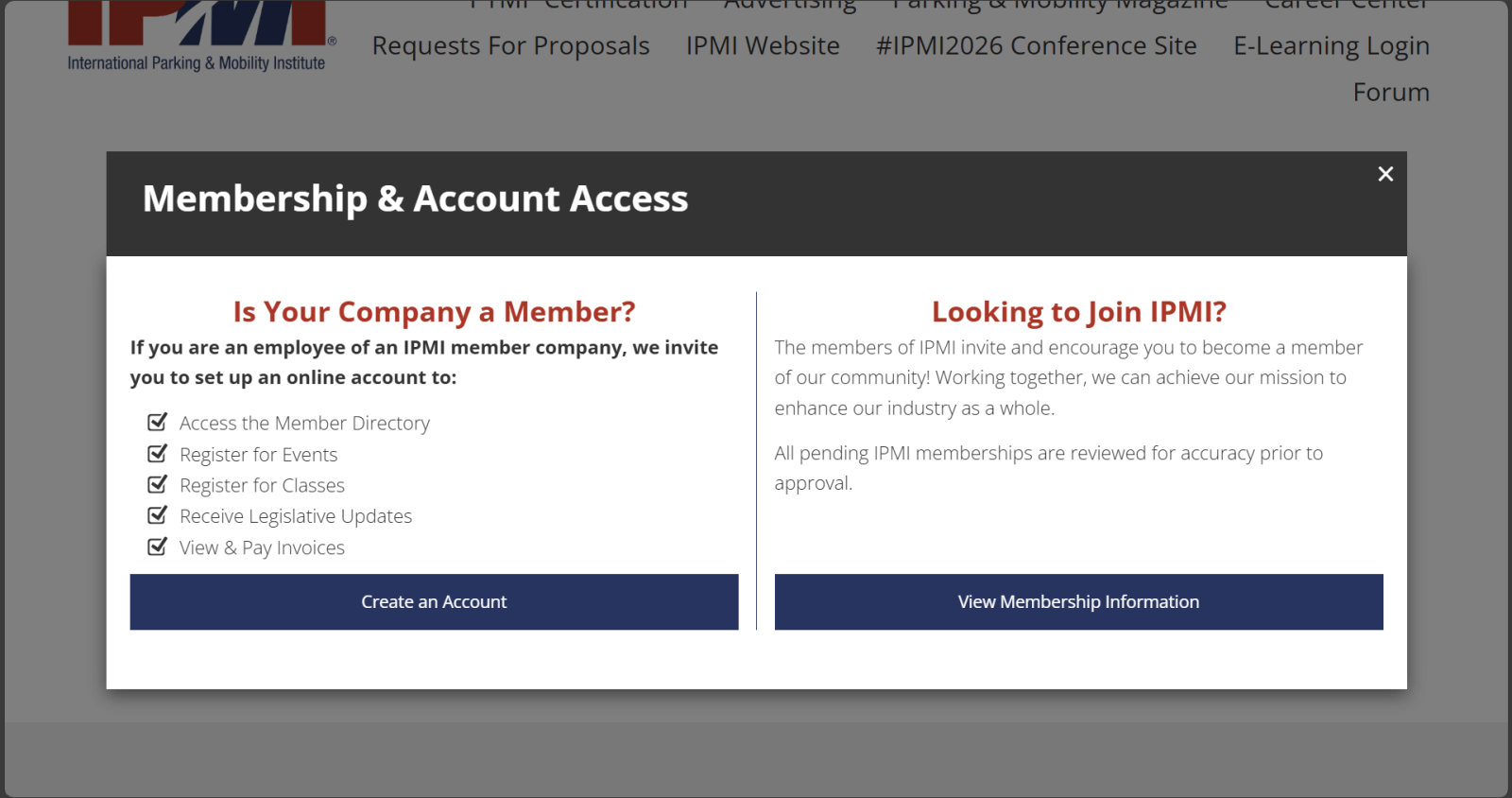
The pop-up window below will appear:
Important: For APDS Essentials, you only need a free online account, not IPMI membership.
Click the left-hand button: Create an Account under “Is Your Company a Member?”
Do this even if your company is not an IPMI member.
Step 6: Create Your IPMI Account
1. Fill in the required fields (name, email, organization, etc.).
2. Where applicable, select Non-member as your status.
3. Create a password and complete any remaining required fields.
4. Submit the form.
5. When you receive the confirmation email, click the link in that email to activate your free IPMI account.
Step 7: Register for APDS Essentials
1. Once your account is created and you are logged in, return to the APDS Essentials registration link or find it under Events on the IPMI site.
2. Click the Register button for the APDS Essentials training.
3. Confirm your details and complete the registration steps shown on screen.
4. At the end, you should see a confirmation page and/or receive a confirmation email for your APDS Essentials registration.
Need Help?
If you have any issues during registration, please contact us at info@allianceforparkingdatastandards.org or your program coordinator for assistance.